Device inventory and monitoring
Choose the correct device view
- Devices → Basic Devices, Basic-licensed devices and licence activation status.
- Devices → Device Overview, aggregated metrics for Kiosk and Business+ devices.
- Devices → Kiosk & Business+ Devices, searchable fleet inventory and device actions.
- Devices → Enrolment Images, generated deployment images and their status.
Use Device Overview
Select an organisational unit to review machine models, licence types, device status, kiosk status, operating-system versions, and browser versions.
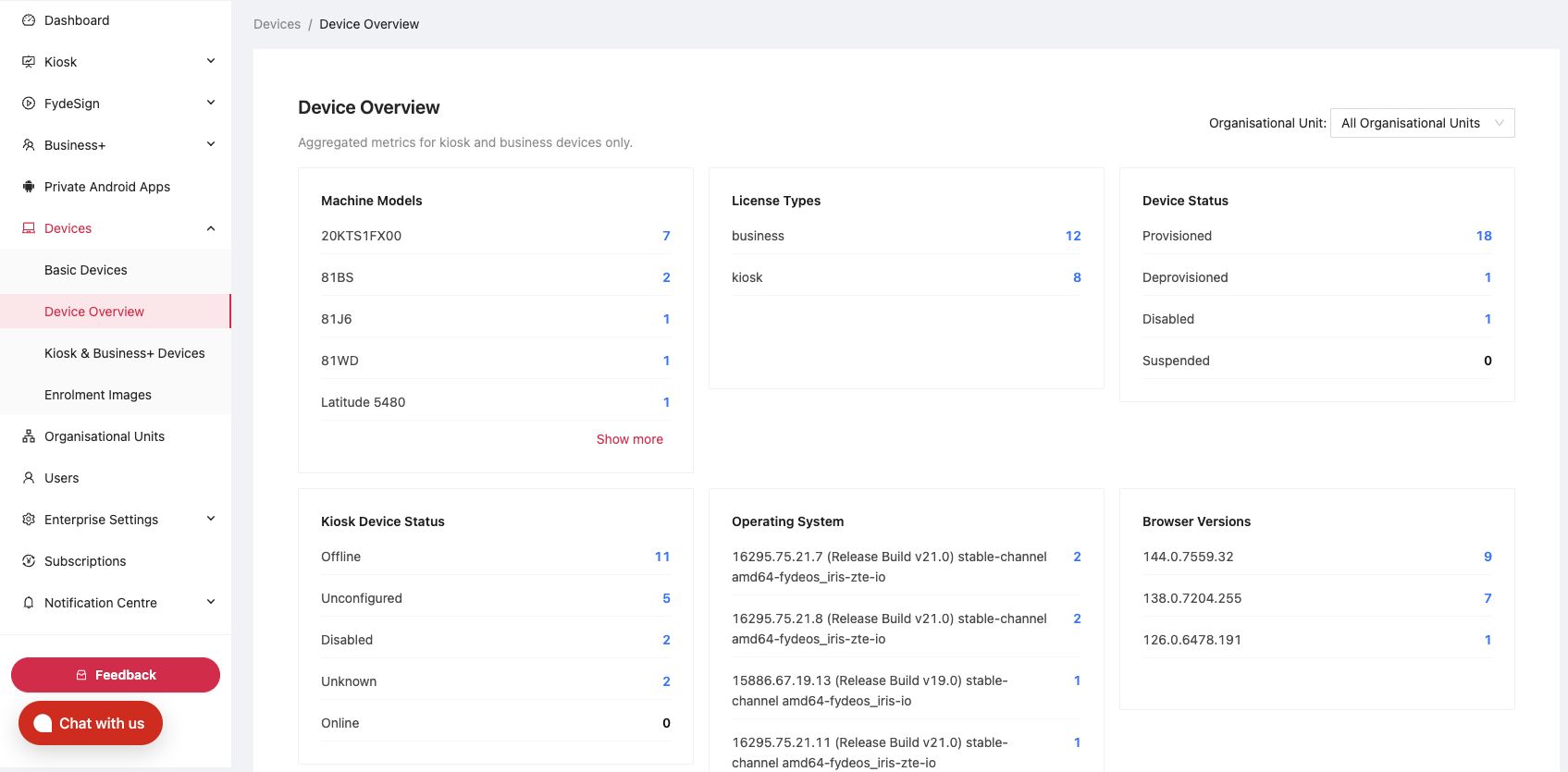
Use this page to spot:
- Unexpected old OS or browser versions.
- Offline or unconfigured kiosks.
- Disabled, deprovisioned, or suspended devices.
- A model or site with a disproportionate number of problems.
Find a device
- Open Devices → Kiosk & Business+ Devices.
- Select a search field, such as Serial Number.
- Enter the exact value and click Search.
- Use Filters for status, licence, or other criteria.
- Select an organisational unit when narrowing the scope.
- Use Column Settings to show only fields needed for the task.

Use Export devices when you need an inventory snapshot. Store exports according to your organisation's data-handling rules because they may contain device and user identifiers.
Read device details
Open a device to review:
- Provisioning and licence status.
- Organisational unit and assigned user.
- Hardware, OS, browser, firmware, and managed mode.
- Enrolment time, last active time, and last policy sync.
- Network interfaces and recent activity.
- Custom asset ID, location, and notes.
Use Edit in Custom Fields to maintain the asset ID, user, location, and notes. Avoid placing passwords or sensitive support data in these fields.
Move a device
- Open the device.
- Click Move To.
- Select the destination organisational unit.
- Confirm.
- Review the policies and apps inherited by the destination.
- Verify the result on the device after policy sync.
What's next
- Device reporting and logs, choose the data each device reports.
- Troubleshooting checklist, work through common fleet problems.